
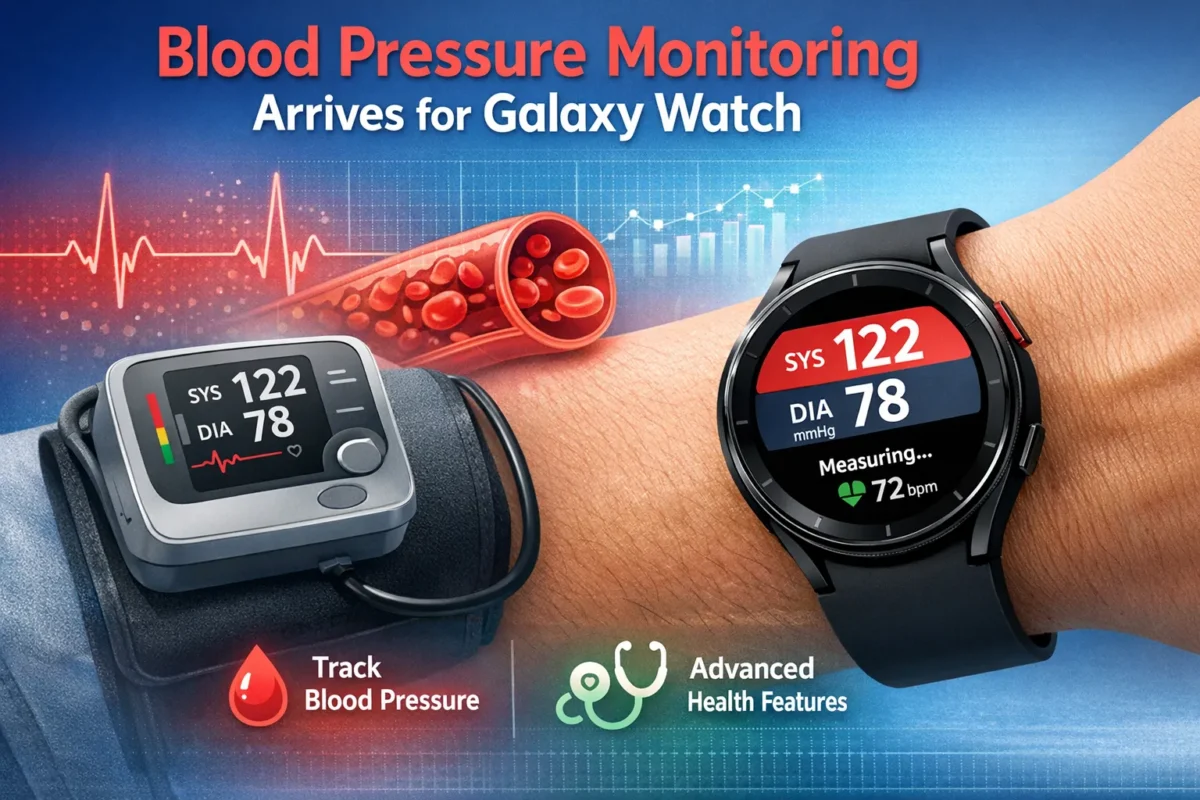
Blood Pressure Monitoring Arrives for Galaxy Watch Users in the US
Galaxy Watch users in the United States have a major reason to celebrate. Samsung officially rolled out blood pressure monitoring for Galaxy Watch on March 31, 2026 — a feature millions of users in other countries have enjoyed for years. If you have been waiting to track this vital health metric from your wrist, the wait is finally over.
High blood pressure silently affects nearly 120 million American adults, yet most people only check their numbers at a doctor’s office. That gap between visits can be dangerous. Samsung’s latest update brings real-time cardiovascular insight directly to your wrist, putting a powerful health tool within arm’s reach — literally.
Why This Update Is a Big Deal
For years, Samsung offered blood pressure monitoring to users in South Korea and select international markets. US users were left out due to regulatory hurdles. That changes now.
According to the Centers for Disease Control and Prevention, roughly half of all American adults live with high blood pressure. Many do not even know it. Unchecked hypertension raises the risk of heart disease and stroke — two of the leading causes of death in the country.
Getting readings at home, consistently, is one of the most effective ways to stay ahead of this risk. The American Heart Association recommends home monitoring as a key strategy for managing cardiovascular health. Samsung’s Galaxy Watch now makes that easier than ever.
Also Read : Telenor IoT Kills the Multi-APN Headache With One Global Network Address
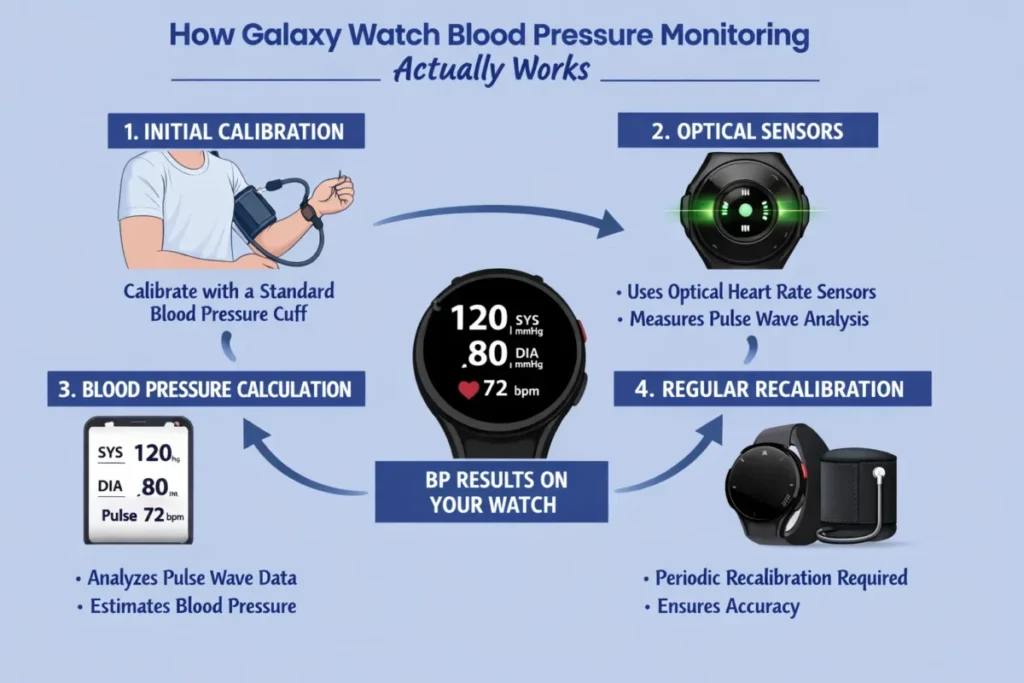
How Galaxy Watch Blood Pressure Monitoring Actually Works
The feature does not work like a typical health sensor you activate and forget. Samsung built a layered system to ensure the readings remain accurate over time. Here is a clear breakdown of what to expect.
Step 1: Download the Samsung Health Monitor App
The feature lives inside the Samsung Health Monitor app. You will find it in the Galaxy Store once your Galaxy Watch is connected to a compatible Galaxy phone running Android 12 or higher. Install the app on both your phone and your watch.
Step 2: Calibrate With an Upper Arm Cuff
Before your watch can deliver readings, you must calibrate it. This requires a traditional upper arm blood pressure cuff — sold separately. The calibration step establishes a personal baseline that the watch uses to estimate future readings.
The Mayo Clinic explains that accurate blood pressure measurement depends heavily on technique and positioning. Samsung accounts for this by requiring a proper cuff-based calibration — not just a quick setup guess.
Step 3: Recalibrate Every 28 Days
Accuracy degrades over time as your body changes. Samsung requires recalibration every 28 days using the upper arm cuff. This periodic check-in keeps your readings trustworthy. It adds a small routine step but protects the integrity of every measurement.
Step 4: Take a Reading on Your Wrist
Once calibrated, you initiate a reading directly from your Galaxy Watch. The internal heart rate sensors measure both systolic and diastolic blood pressure along with your heart rate. Results appear on the watch face and sync to the Samsung Health Monitor app on your phone.
Which Galaxy Watches Support This Feature?
Samsung made this update broadly available across its watch lineup. The feature works on:
- Galaxy Watch 4 and all later models
- Galaxy Watch 5 and 5 Pro
- Galaxy Watch 6 and 6 Classic
- Galaxy Watch 7
- Galaxy Watch 8 and 8 Classic
- Galaxy Watch Ultra (2025)
The watch must run Wear OS 4.0 or higher. Your paired phone needs Android 12 or above. If you check both boxes, you should receive the update through the phased rollout — though some users may need to wait a few days before the option appears.
Also Read : Broadcom Stock Could Surge 91% — Here Is Why Analysts Say Buy Before It Hits $3 Trillion
Samsung vs Apple: Two Very Different Approaches
Apple launched its own blood pressure feature on the Apple Watch back in September 2025. Both companies now offer wrist-based cardiovascular tools, but the approaches differ in a meaningful way.
Apple’s method is passive. It monitors blood vessel patterns over 30-day windows and sends a notification if it detects signs of hypertension. It does not give you actual numbers.
Samsung’s approach is active and specific. You initiate a reading and receive real systolic and diastolic values — the same format your doctor uses. You can log those numbers, track trends, and share them with a healthcare provider.
For anyone actively managing cardiovascular health, concrete numbers carry far more weight than a general alert. The trade-off is the 28-day recalibration requirement, but for serious health tracking, that is a worthwhile exchange.
What Samsung Says About Its Limitations
Samsung is transparent about what this feature can and cannot do. The blood pressure monitoring tool is not intended to diagnose, treat, or prevent high blood pressure. It is a wellness tool, not a medical device.
Always consult your doctor before making any changes to your health routine based on wrist-based readings. Use the data as a starting point for conversations with your physician — not as a final verdict on your cardiovascular health.
Tips for Getting the Most Accurate Readings
A few simple habits make a real difference in measurement quality:
- Sit quietly for five minutes before initiating a reading
- Keep your arm at heart level during measurement
- Avoid caffeine, exercise, and smoking for at least 30 minutes beforehand
- Take readings at the same time each day to track meaningful trends
- Recalibrate your watch with the cuff every 28 days without skipping
These steps align with standard guidelines for home blood pressure tracking. Consistency is the key to turning daily readings into genuinely useful health data.
What Comes Next for Galaxy Watch Health Features
Samsung has more planned. The company confirmed it will introduce passive blood pressure trend monitoring later in 2026. This means the watch will track blood pressure patterns in the background over time, without requiring you to initiate each reading manually.
This builds on a growing list of health tools already available through Samsung Health, including sleep apnea detection, irregular heartbeat notifications, ECG readings, and 24/7 heart rate monitoring. Samsung is positioning the Galaxy Watch as a comprehensive health partner — not just a fitness tracker.
The Bottom Line
Samsung’s blood pressure monitoring feature is a meaningful step forward for personal health technology. US Galaxy Watch users can now track a critical cardiovascular metric directly from their wrist, with real numbers they can actually use.
The setup requires a bit of effort — downloading the Samsung Health Monitor app, purchasing a calibration cuff, and committing to the 28-day recalibration cycle. But for anyone serious about managing their heart health, that effort pays off every single day.
Check for the update in your Samsung Health Monitor app, grab a compatible arm cuff, and start building a clearer picture of your cardiovascular health. Your heart will thank you for it.
Frequently Asked Questions
1. How do I set up blood pressure monitoring on my Galaxy Watch?
Download the Samsung Health Monitor app from the Galaxy Store on both your watch and phone. Open the app, enable blood pressure monitoring, then calibrate your watch using an upper arm cuff. After calibration, you can take readings directly from your wrist anytime.
2. Do I need a blood pressure cuff to use this Galaxy Watch feature?
Yes. An upper arm blood pressure cuff is required to calibrate the feature before use. The cuff is not included with the watch and must be purchased separately. You also need to recalibrate every 28 days to maintain accurate readings.
3. Which Galaxy Watch models support blood pressure monitoring in the US?
The feature works on the Galaxy Watch 4 and all later models, including the Watch 5, 6, 7, 8, 8 Classic, and Watch Ultra 2025. Your watch must run Wear OS 4.0 or higher, and your connected phone needs Android 12 or above.
4. Is the Galaxy Watch blood pressure reading medically accurate?
Samsung designed this as a wellness tool, not a medical device. Readings give useful trend data but are not intended for diagnosis or treatment. Always confirm important health decisions with a doctor using a clinically validated blood pressure monitor.
References
1. NotebookCheck: Blood pressure monitoring arrives for Galaxy Watch users in the US — notebookcheck.net
2. Mayo Clinic: How to measure blood pressure — mayoclinic.org
3. American Heart Association: Monitoring your blood pressure at home — heart.org
