Running out of mobile balance during an important call can create an inconvenient situation. You may also need to confirm your remaining credit before activating a package, sending an SMS, or using mobile data. Telenor Pakistan offers a simple USSD code that lets prepaid customers check their account balance within seconds.
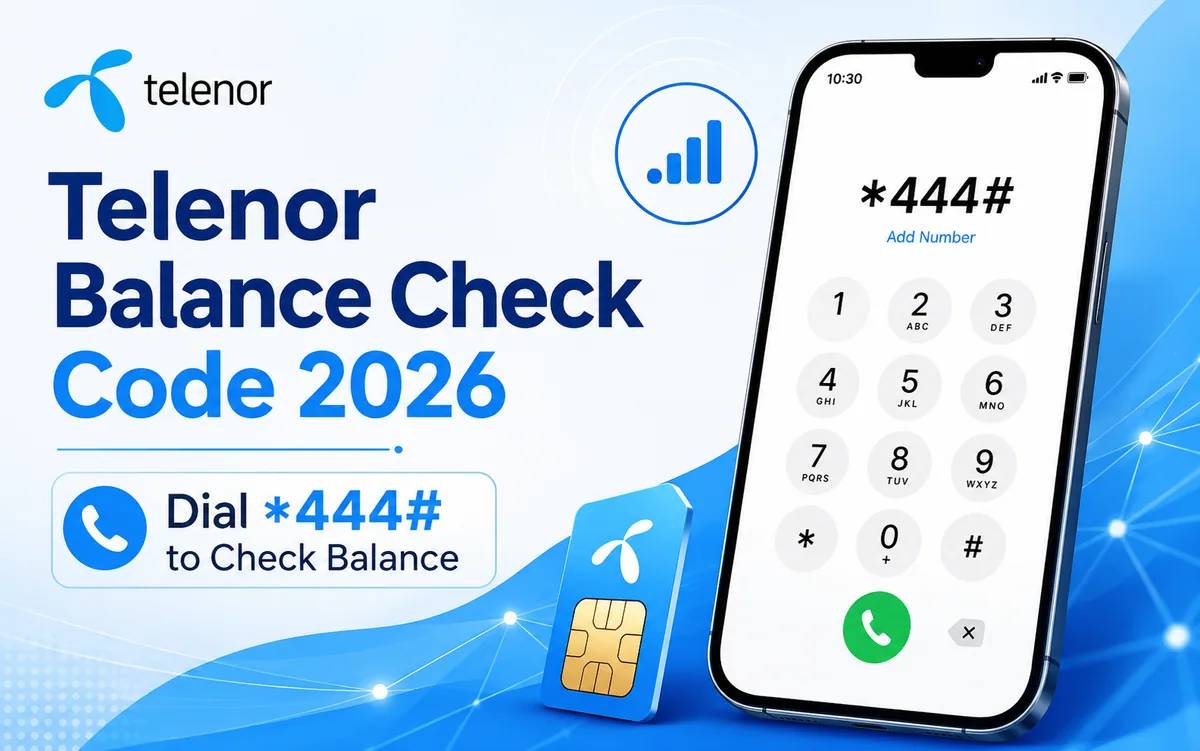
The Telenor balance check code for 2026 is *444#. Open the dial pad on your mobile phone, enter the code, and select your Telenor SIM. The network will show your available balance on the screen.
This guide explains the Telenor balance check method, service charges, package resource codes, alternative checking options, advance balance service, and common solutions when a USSD code does not respond.
Telenor Balance Check Code 2026
Telenor prepaid customers can use the following code to check their current account balance:
Service | Telenor Code | Charges | Availability |
|---|---|---|---|
Telenor balance check | *444# | Rs. 0.20 plus tax | Prepaid customers |
The network normally responds within a few seconds. Your phone screen will show the remaining credit in your Telenor account.
This method does not require mobile data, WiFi, or a smartphone application. It works through the Telenor mobile network, so you can use it on both smartphones and basic mobile phones.
How to Check Telenor Balance
Follow these steps to check your Telenor balance:
Open the dial pad on your mobile phone.
Enter *444#.
Select your Telenor SIM when you use a dual SIM phone.
Press the call button.
Wait for the network response.
Check the remaining balance on your screen.
Make sure your phone has an active Telenor signal before you dial the code. Weak network coverage may delay the response or cause an error message.
Telenor Balance Check Charges
Telenor charges approximately Rs. 0.20 plus tax for each balance inquiry through *444#. The final amount may reach about Rs. 0.24 after tax.
Keep a small amount of credit in your account before using the code. The service may not respond correctly when your account contains no balance.
Charges, taxes, codes, and service conditions can change. Confirm the latest details through the official Telenor website, the MyTelenor App, or the Telenor helpline when you need exact information.
Telenor Remaining MBs, Minutes and SMS Check Codes
Your main account balance and package resources work separately. The *444# code checks your available mobile credit, but it may not provide complete details about every active bundle.
Use these Telenor codes to check your remaining package resources:
Resource | Check Code | Purpose |
|---|---|---|
Main balance | *444# | Checks available account credit |
Remaining SMS | *111# | Checks remaining SMS |
Remaining minutes | *222# | Checks remaining call minutes |
Remaining internet MBs | *999# | Checks remaining mobile data |
Telenor MB Check Code
Dial *999# from your Telenor SIM to check the remaining internet MBs in your active package. This code helps you track data usage before your bundle expires.
Regular checks can prevent your phone from using the main balance after the internet package ends.
Telenor Minutes Check Code
Dial *222# to check the remaining call minutes in your Telenor package. The network will provide the available minute details according to your active offer.
Telenor SMS Check Code
Dial *111# to check your remaining SMS. The result may depend on your package type and account status.
Check Telenor Balance Through the MyTelenor App
The MyTelenor App provides a convenient way to manage your Telenor account. The application dashboard can show your main balance, internet MBs, call minutes, SMS, active bundles, and account offers.
Follow these steps:
Download the MyTelenor App from the official application store.
Open the application.
Enter your Telenor mobile number.
Complete the login verification.
View your account details on the main dashboard.
The application requires an internet connection. However, it may help you avoid repeated USSD inquiry charges while you have WiFi or mobile data access.
The app also lets you explore available bundles, recharge your number, review account activity, and manage selected services.
Check Telenor Balance Online
Customers can also manage their account through official Telenor digital services. Visit the official Telenor Pakistan website and look for the account management or self-service section.
Enter your number and complete the required verification process. After login, you may find information about your usage, active packages, and account services.
Online account options can change, so the MyTelenor App may offer a more convenient experience for most mobile users.
Telenor Advance Balance Code 2026
Telenor customers who run out of credit can request advance balance through the emergency loan service.
Dial:
*0#
The service adds advance credit to an eligible prepaid account. Telenor deducts the advance amount and applicable service charges after the next recharge.
Service | Code | Main Condition |
|---|---|---|
Telenor advance balance | *0# | Clear any previous advance first |
Your account must meet the eligibility requirements. Customers with an unpaid previous advance may need to recharge and clear the earlier amount before requesting another loan.
The advance amount and service fee may change. Check the confirmation message carefully before accepting the service.
Telenor Balance Save Code
Mobile applications can use data in the background and consume the main account balance after an internet package expires. Customers often search for a Telenor balance save option to reduce unwanted deductions.
You may dial *7799# to explore the available balance protection service. Read all instructions and charges before activating any option.
You should also take these steps:
Turn off mobile data when you do not need it.
Disable background data for unnecessary applications.
Check your remaining MBs through *999#.
Activate a suitable internet package before browsing.
Remove applications that consume excessive data.
Turn off automatic application updates through mobile data.
These actions can help you manage mobile credit more effectively.
Why You Should Check Your Telenor Balance Regularly
Regular balance checks help you understand your mobile usage and avoid unexpected service interruptions.
Avoid sudden call disconnection
A balance check before an important call helps you confirm that your account contains enough credit.
Track mobile spending
Frequent checks show how quickly calls, SMS, and mobile data reduce your balance.
Recharge at the right time
You can recharge before your balance reaches zero instead of waiting for the service to stop.
Protect your main balance
Checking package resources can help you stop mobile data before your internet bundle ends.
Manage multiple packages
Customers who activate several offers can use the MyTelenor App and USSD codes to monitor remaining resources.
Telenor Balance Check Code Not Working
A USSD request may fail because of a temporary network issue, weak signals, incorrect SIM selection, or phone settings. Try the following solutions when *444# does not respond.
Check the mobile signal
Move to a location with stronger Telenor network coverage. Weak signals can prevent your phone from sending the USSD request.
Select the correct SIM
Dual SIM users should select the Telenor SIM after entering *444#. The code will not work through a SIM from another network.
Restart your phone
Restart the device and dial the code again. A restart can refresh the mobile network connection.
Turn airplane mode on and off
Activate airplane mode for a few seconds and then turn it off. Wait for the Telenor signal to return before trying the code again.
Check the code format
Enter the complete code as *444#. Do not add spaces, extra symbols, or a mobile number.
Wait and try again
Heavy network traffic or maintenance can delay the response. Wait for a few minutes before sending another request.
Contact Telenor support
Dial 345 from your Telenor number when the problem continues. Customer support can check your account status and provide updated service information.
Telenor Balance Check for Postpaid Customers
The *444# balance check code mainly serves prepaid users. Postpaid customers should use the MyTelenor App, official account services, monthly bill information, or customer support to review usage and billing details.
Postpaid accounts follow a billing cycle rather than a prepaid credit system. Therefore, postpaid users should monitor their current usage, payment status, bill amount, and due date.
Important Tips for Telenor Users
Use these simple practices to manage your Telenor balance:
Check the expiry date of every active package.
Review remaining MBs before using mobile data.
Avoid unknown subscriptions and promotional services.
Read confirmation messages after package activation.
Keep mobile data off when no internet bundle remains.
Use the MyTelenor App to review account information.
Contact customer support when you notice an unexplained deduction.
Confirm codes and charges through official Telenor channels.
Final Words
The easiest way to check your Telenor prepaid balance in 2026 is to dial *444#. The network will show your remaining account credit within a few seconds. This method works without an internet connection and supports prepaid customers across Pakistan.
You can also use the MyTelenor App to view your main balance, remaining MBs, SMS, minutes, and active packages. Dial 999# for internet MBs, 222# for call minutes, and *111# for SMS details.
Regular account checks can help you control mobile spending, recharge on time, and avoid unexpected balance deductions.
Frequently Asked Questions
What is the Telenor balance check code in 2026?
Dial *444# from your Telenor prepaid SIM to check your current account balance.
How can I check my Telenor balance without internet?
Open your mobile dial pad and enter *444#. The USSD service works without mobile data or WiFi.
Does Telenor charge for checking the balance?
Telenor charges approximately Rs. 0.20 plus tax for a balance inquiry through *444#. Charges may change over time.
How can I check my remaining Telenor internet MBs?
Dial *999# from your Telenor SIM to check the remaining internet MBs in your active package.
What is the Telenor remaining minutes check code?
Dial *222# to check the remaining call minutes in your Telenor bundle.
How can I check the remaining Telenor SMS?
Dial *111# to check your remaining SMS.
What is the Telenor advance balance code?
Dial *0# to request Telenor advance balance. Eligibility rules and service charges apply.
Can I check my Telenor balance through an application?
Yes. Open the MyTelenor App and check the main dashboard for your balance and package resources.
Why does the Telenor balance code not work?
Weak network coverage, temporary server problems, an incorrect SIM selection, or a phone connection issue may stop the code from responding. Restart your phone, check the signal, and try again.
Can postpaid customers use *444#?
The code mainly serves prepaid accounts. Postpaid customers should check usage and billing details through the MyTelenor App or Telenor customer support.
What is the Telenor customer care number?
Dial 345 from a Telenor number to contact Telenor customer support.
Can I use the Telenor balance check code on a basic phone?
Yes. The *444# USSD code works on smartphones and basic mobile phones because it does not require an application or internet connection.